It also has a B mode using “trashed” samples of those materials. These can be mixed together for combined sounds. If you are looking for and interesting new instrument for uses in cinematic, ambient or industrial areas – check it out!
Some sounds can be quite harsh and metallic others soft and atmospheric. There’s plenty of Bladerunner and Asian style type bells and such to be found.
BottlePOP! features the following:
- 16 Blendable samples (Dual per 8 knobs)
- Dual Materials (2 per knob) can be turned on/off as needed
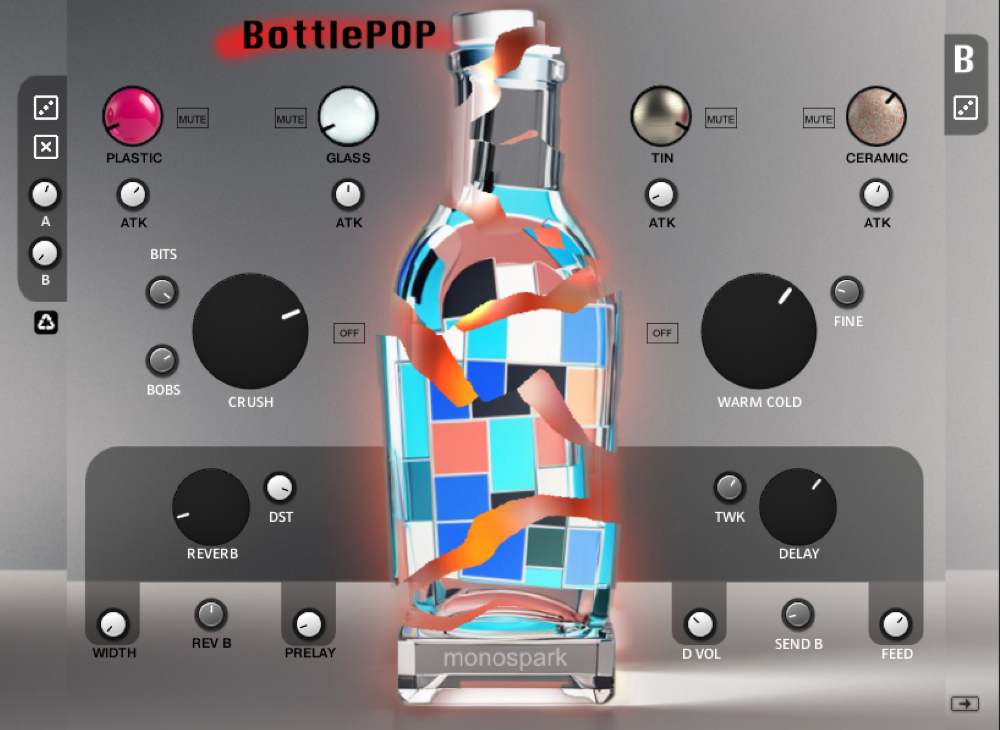
- Switch between Regular instrument mode (A) and Trash Mode (B)
- Each mode (A & B) have mix volume controls
- Attack control on each dual sample knob
- Mode A&B have individual sound controls like ‘Crush’ and ‘Warm/Cold’ Fx on sound
- Reverb and Delay are global to both A&B instrument but you can control the amount each for A&B
- Random and clear instruments function for global
- Random for each A&B instruments
- Mode A – Vibrato(MW) and chorus controls
- 100 presets
Demos
*Note – Synth chord throughout song is not from BottlePOP! Just for mood. All other sounds are BottlePOP!
Using BottlePOP!
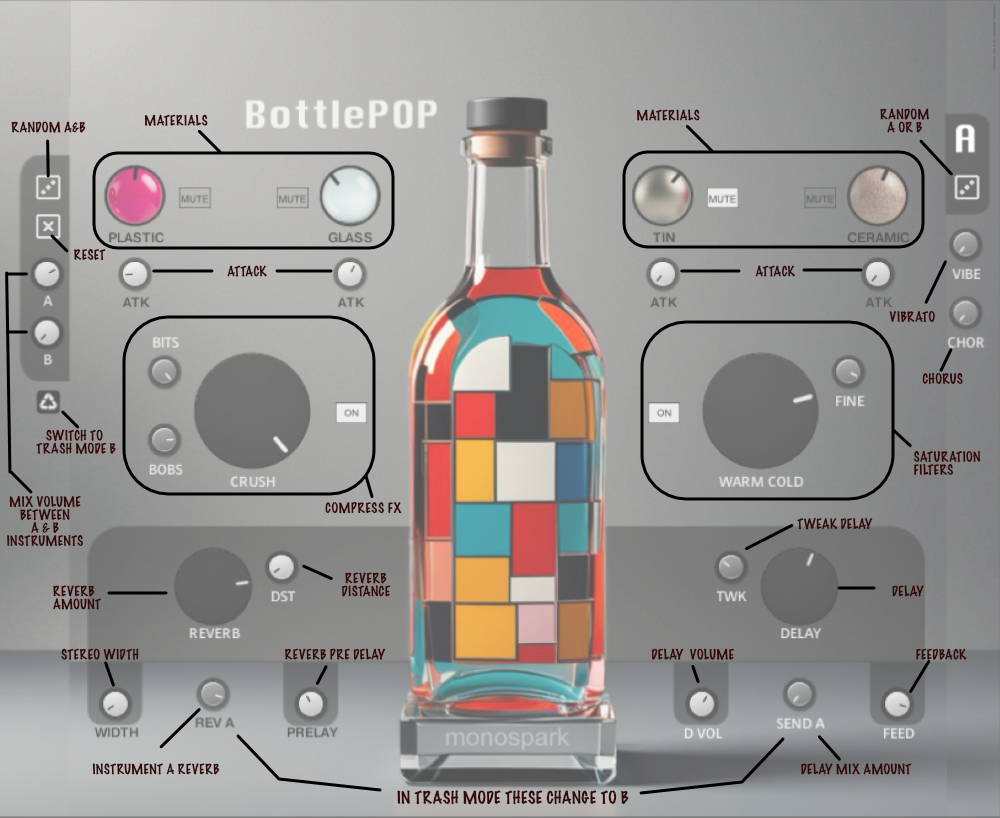
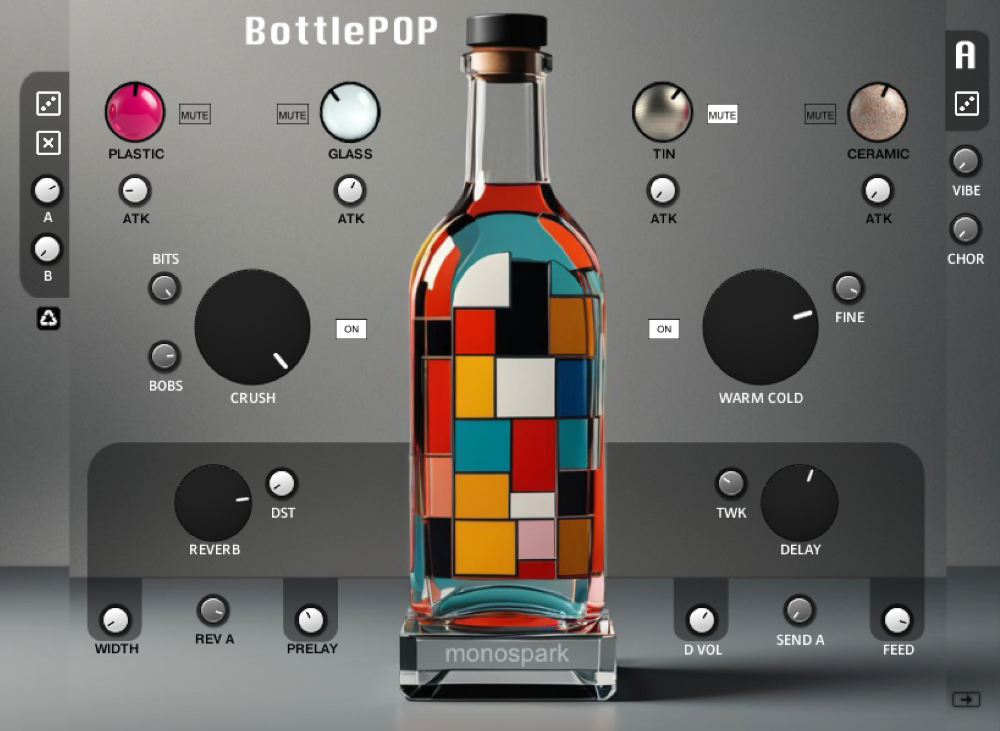
You start with the Main instrument on Mod A. Here you will find 4 Materials in sets of 2.
You can switch to “trash” Mode B via the Recycle icon  and find the same controls. Trash mode features less melodic ‘crashing’ versions of the materials.
BASICS (Both A&B mode)
- Mute or unmute with material you wish to hear
- Turn the knobs on each to blend between the set
- Set their attack (ATK) to be sharp or dull on the materials
FX (individual)
- Crush and the Warm/Cold affect Mode A&B separately
- Must be turned on with each to have effect on sound
- Play with Knobs to see how the affect the sound
- VIBE (Vibrato) & CHOR (chorus) are found only on Mode A
GLOBAL FX
- Reverb has DST (distance) and Pre Delay controls
- REV A controls the amount you send to the reverb for Road A (so it an be a different amount in Mode B)
- Stereo width widens the overall sound
- Delay (Amount), TWK (tweaks delay), Feed (feedback amount and D VOL (volume on delay)
- Use Send to set amount allowed on that instrument of the delay to hear (A or B)
MOD A ONLY
- VIB (Vibrato)
- CHOR (chorus)
- Give more customization to the overall sounds from A Mode instrument
LEFT SIDE Controls
- Global random (randomizes all parameters for the Materials on both A&B
- NOTE: this does not mute or un mute materials – you must choses what you wish to hear by manually doing that on each.
- Global Clear – resets all parameters to there I base level
A & B MIX Controls
- Use these to control the volume between the A instrument and B instrument – these do not get included in randomize
- If instrument A is too low, turn it up using the A knob . If you want to hear more (or less) of Mode B – use the B knob
RIGHT SIDE Controls
- Random for A only (on A mode and B only (on B mode)
- Randomizes that instruments’ parameters without affecting the other instrument mode
- VIBE and CHOR as mentioned earlier – only appears and affects for A mode instrument
TIP: Small arrow at bottom right shows panel breakdown screen